Best recipe apps in 2026: 12 compared
Free and paid recipe apps matched to the job you need done, with each price, platform and limit taken from the app's own pages.
By The Scullery team · Written
Updated
In this article
The right recipe app depends on the job you need done. For a free cookbook the whole household shares in a browser, try Scullery. To buy apps outright, Paprika. For scanning paper recipes, Recipe Keeper. For an all-Apple home, Crouton. For a meal calendar, Plan to Eat. For social video, ReciMe or CookBook. For your own server, Mealie or Tandoor.
We make Scullery. Facts about the other apps come from their own websites, help pages and app store listings, checked on 6 October 2026 and listed under Sources at the end. We haven't trialled them, so this page compares what each app says it does, not how well it does it. Prices are in US dollars unless marked, and store prices vary by country.
What to look for in a recipe app
Start with where your recipes come from and who else cooks from them. Price matters, but a free plan that stops at 20 recipes costs more effort than one you can grow into.
- Saving recipes. Most apps read recipe websites. Social video (Instagram, TikTok, YouTube) and photos of cookbook pages are where they differ, and where free plans tend to stop: ReciMe allows 5 free imports a week, CookBook 20 smart imports, and AnyList 5 recipes from the web.
- The size of the free collection. Copy Me That is free up to 40 recipes, CookBook up to 20, and Tandoor's hosted Free plan up to 10. Scullery has no cap on how many recipes you keep.
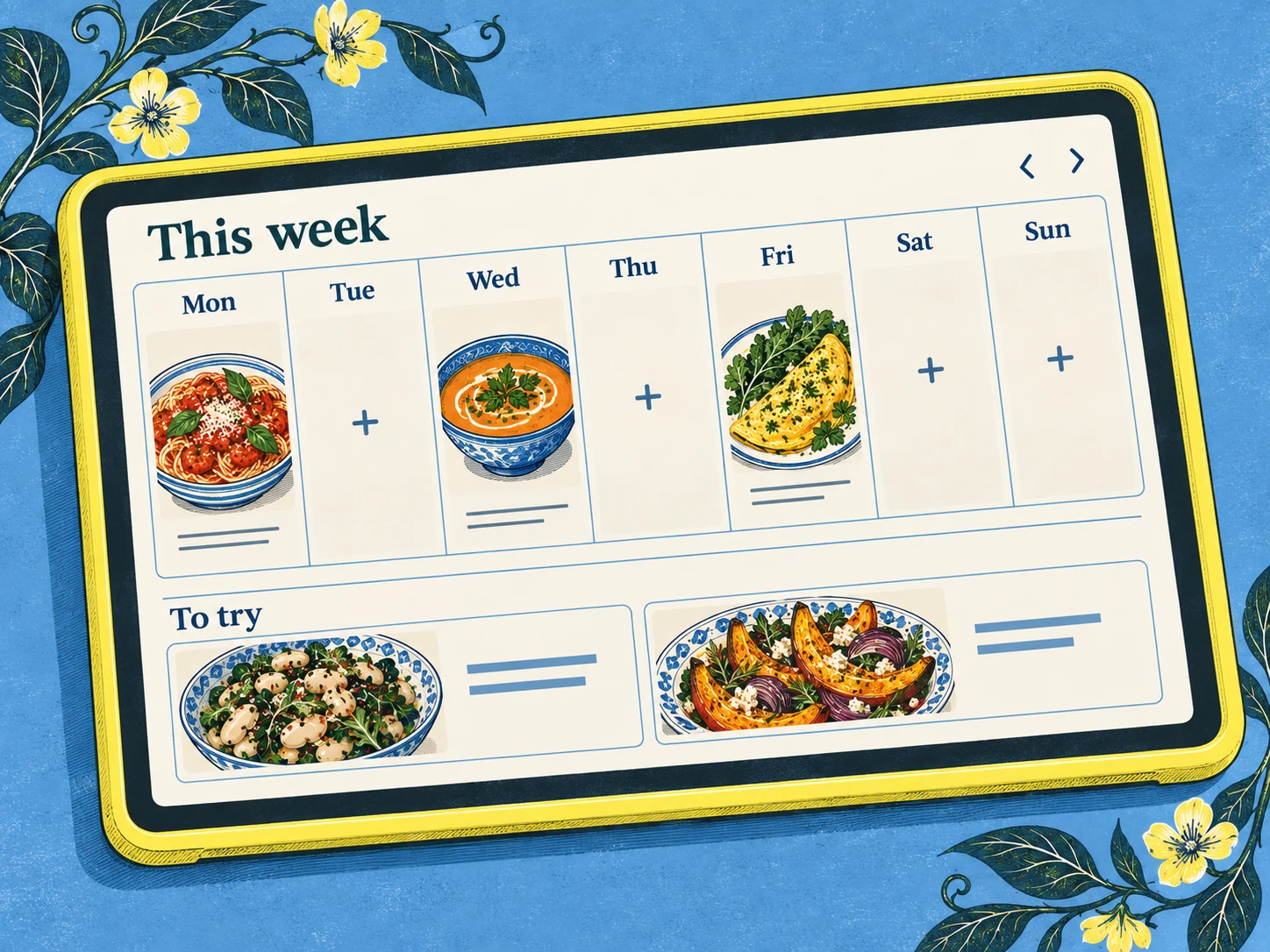
- Planning. Some apps plan on a calendar (Plan to Eat, Paprika, Recipe Keeper, Mealie); Scullery lets a meal sit on the plan without a day. AnyList's calendar and CookBook's planner are on their paid plans only.
- The shopping list. All twelve have one. Check what the free plan allows: CookBook's free plan has 2 lists with limited items.
- Sharing with your household. Some apps give everyone their own login in a shared household; others suggest you all sign in to one account. If more than one person cooks, this decides a lot.
- Platforms. If anyone in the house is on Android, an Apple-only app is out. If you want to plan on a laptop, look for a web app.
- Cost. Free, one-time per platform, or a subscription. Some apps price differently on their own site and in the App Store: Plan to Eat is $49 a year on its website and $54.99 through the US App Store.
- Getting your recipes out again. Check the export before you build a collection; see Switching between apps.
Compare 12 recipe apps
| App and platforms | Cost | Best suited to | Check first |
|---|---|---|---|
| Scullery Web, in phone and desktop browsers | Cost: Free: no subscription or app purchase | Best suited to: Household cookbook, decision making and cooking | Check first: Free account needed; AI usage limits |
| Paprika iOS, Android, Mac, Windows | Cost: One-time, per platform: iOS $4.99, Mac and Windows $29.99, Android unlocked in the app | Best suited to: Personal collection and scaling | Check first: Bought per platform; Paprika 4 premium features will need a subscription |
| Recipe Keeper iPhone, iPad, Android, Mac, Windows | Cost: Free download; Pro one-time per platform: iOS and Android $19.99, Mac $29.99 | Best suited to: Scanning paper; printable cookbooks | Check first: Pro bought per platform |
| Crouton iPhone, iPad, Mac, Apple Watch, Apple Vision | Cost: Free download; Crouton Plus $24.99 on the US App Store | Best suited to: Apple household recipe sync | Check first: Apple devices only on its own pages |
| Plan to Eat Web, iOS, Android | Cost: $49/year or $5.95/month on its site ($54.99/year through the US App Store); 14-day trial | Best suited to: Saved recipes into weekly plans | Check first: No free plan after the trial |
| AnyList iOS, Android; web and Mac with Complete | Cost: Free lists; Complete $9.99/year individual, $14.99/year household | Best suited to: Recipes beside shared shopping | Check first: Calendar and web app paid; 5 free web imports |
| Samsung Food iPhone, iPad, Mac, Android, web | Cost: Free; optional Food+ $6.99/month or $59.99/year | Best suited to: Recipe discovery, saving and planning | Check first: Advanced personalisation requires Food+ |
| Copy Me That Web, iOS, Android, Mac | Cost: Free up to 40 recipes; then $1/month, or a yearly or lifetime membership | Best suited to: Clipping web recipes | Check first: Free up to 40 recipes |
| CookBook iPhone, iPad, Android, web | Cost: 20 recipes free; $39.99/year or $6.99/month | Best suited to: Mixed sources and scanning | Check first: 20 free recipes; meal planning paid |
| ReciMe iOS, Android, web | Cost: 5 free imports a week; Plus $39.99/year in the US | Best suited to: Saving social-media recipes | Check first: 5 free imports a week; more need Plus |
| Mealie Self-hosted web app | Cost: Free, open source; you pay for and run the server | Best suited to: Running your own recipe library | Check first: Server setup and maintenance |
| Tandoor Web, hosted or self-hosted | Cost: Free to self-host; hosted plans €0 to €4.99/month | Best suited to: Recipe organisation on your server | Check first: Hosted Free holds 10 recipes |
Facts checked 6 October 2026, from each app's own pages and US store listings. Your store's prices may differ.
The 12 apps, one by one
Scullery comes first because it's ours. The others follow the table. Each section has the facts from the app's own pages, then what we'd check before choosing it.
Scullery
Scullery is a shared cookbook for a household, used in a phone or desktop browser. It saves recipes from websites, pasted text, screenshots, photos of cookbook pages and cards, and TikTok, Instagram and YouTube posts; when a post doesn't include a full recipe, Scullery keeps it as an Idea instead of guessing. The household shortlists what it fancies, puts meals on the plan with or without a day, and builds one shopping list from the chosen recipes.
It's free, with no subscription or app purchase, and in open beta with no invite needed. AI imports, such as social posts and photos, have a daily limit. There's no App Store app and no ready-made weekly menu. Create a free account to try it.
- Best for
- A household that wants one free cookbook, a shared shortlist and a list built from the chosen recipes
- Platforms
- Web, in phone and desktop browsers
- Price
- Free: no subscription or app purchase
- Worth it if
- You're happy in a browser and want everyone in the house deciding together
- Check first
- No App Store app (it runs in the browser), no ready-made weekly menus, and usage limits on AI imports
Facts checked . Sources: Scullery FAQ
Paprika
Paprika is a recipe manager with native apps for iPhone and iPad, Android, Mac and Windows, each sold separately and paid for once. It reads files from a long list of other apps, including MasterCook, MacGourmet, Living Cookbook and Pepperplate, and has meal planning calendars, reusable menus and a shopping list sorted by aisle. The Windows trial and the Android free version hold up to 50 recipes, without cloud sync.
Paprika 4 opened a beta to current users on 28 September 2026. It adds social and photo imports and family sharing with separate logins, and Paprika's post says premium features will afterwards require a subscription, with no price or date yet.
- Best for
- A personal collection on native apps, bought outright
- Platforms
- iOS, Android, Mac, Windows
- Price
- One-time, per platform: iOS $4.99, Mac and Windows $29.99, Android unlocked in the app
- Worth it if
- You want one-off purchases and a long list of file imports from other apps
- Check first
- Each platform is a separate purchase, its site lists no web app, and Paprika says premium features will need a subscription after the Paprika 4 beta (no price or date yet)
Facts checked . Sources: Official product page, Paprika 4 beta post, 28 September 2026, US App Store (iOS), US Mac App Store, Windows page, Google Play, User guide
Recipe Keeper
Recipe Keeper turns paper into a collection: it scans with the camera, reads PDFs, and imports from websites, Instagram and TikTok, and from files made by BigOven, MasterCook, Paprika and others. It prints your recipes as a PDF cookbook and has a weekly and monthly planner and aisle-grouped shopping lists. Pro is a one-time upgrade bought separately on each platform; the free trial's limits aren't stated on its pages.
- Best for
- Turning paper recipes and PDFs into a collection, then printing cookbooks
- Platforms
- iPhone, iPad, Android, Mac, Windows
- Price
- Free download; Pro one-time per platform: iOS and Android $19.99, Mac $29.99
- Worth it if
- You'll pay once on your main device and scan a lot
- Check first
- Pro is bought per platform, and the free trial's limits aren't stated
Facts checked . Sources: Official product page, US App Store (iOS), US Mac App Store, Google Play, Microsoft Store
Crouton
Crouton is made for Apple devices: iPhone, iPad, Mac, Apple Watch and Apple Vision. Its pages don't mention Android. It shares recipes and the meal plan with your household through iCloud. It imports from links, book scans, photos, PDFs and recipe files, makes a shopping list that works with Reminders, and exports recipes as PDF, plain text or Markdown. Its pages don't state the free version's limits.
- Best for
- An Apple household sharing recipes and a plan through iCloud
- Platforms
- iPhone, iPad, Mac, Apple Watch, Apple Vision
- Price
- Free download; Crouton Plus $24.99 on the US App Store
- Worth it if
- Everyone who cooks uses an iPhone, iPad or Mac
- Check first
- Its own pages list Apple devices only, and the free version's limits aren't stated
Facts checked . Sources: Official product page, US App Store
Plan to Eat
Plan to Eat is built around a drag-and-drop calendar that you fill from recipes you've saved, and a shopping list made from the plan, sorted by store. Its clipper and social imports cover Instagram, Facebook, Pinterest, TikTok and YouTube; since September 2026, imports from Instagram, Facebook, TikTok and YouTube pull the steps from the video. The 14-day trial needs no card, and a lapsed account can still export its recipe book.
- Best for
- A meal calendar built from your own saved recipes
- Platforms
- Web, iOS, Android
- Price
- $49/year or $5.95/month on its site ($54.99/year through the US App Store); 14-day trial
- Worth it if
- You plan most weeks and want the list made from the calendar
- Check first
- There's no free plan after the 14-day trial, and the yearly price is higher through the App Store
Facts checked . Sources: Official site, FAQ and pricing, US App Store, Export help, September 2026 update
AnyList
AnyList starts from the shared shopping list, which is free, with a recipe collection beside it. Free accounts can import 5 recipes from the web. The meal planning calendar, recipe photos, scaling and the web and Mac apps need Complete, which has an individual and a household price. It imports Paprika's export file.
- Best for
- A shared shopping list, with recipes and a plan as a cheap paid layer
- Platforms
- iOS, Android; web and Mac with Complete
- Price
- Free lists; Complete $9.99/year individual, $14.99/year household
- Worth it if
- The list is the main job and $14.99 a year covers your household
- Check first
- The meal planning calendar and the web app need Complete, and free web recipe imports stop at five
Facts checked . Sources: Features, Complete pricing, Recipe import help
Samsung Food
Samsung Food, formerly Whisk, pairs a recipe library with free saving from any website, a weekly planner, shared shopping lists and grocery ordering, on phone, tablet, Mac and web. Food+ adds AI-personalised plans, pantry and nutrition tracking, and more photo imports. Samsung Food's website and help centre blocked our checks, so these facts come from its store listings and Samsung's newsroom.
- Best for
- Finding recipes in a large library and planning around them for free
- Platforms
- iPhone, iPad, Mac, Android, web
- Price
- Free; optional Food+ $6.99/month or $59.99/year
- Worth it if
- You want a free planner and list on phone and web
- Check first
- Personalised plans and more photo imports need Food+, and export options aren't stated on the pages we could read
Facts checked . Sources: US App Store, Google Play, Samsung Newsroom launch post
Copy Me That
Copy Me That clips recipes from websites with a browser button or its in-app browser, on the web, iPhone, Android and Mac. Every feature is free up to 40 recipes; after that, one paid membership (monthly, yearly or lifetime) covers all your devices. Its pages suggest a household shares by signing in to the same account.
- Best for
- Clipping recipes from websites cheaply, on any device
- Platforms
- Web, iOS, Android, Mac
- Price
- Free up to 40 recipes; then $1/month, or a yearly or lifetime membership
- Worth it if
- You'll pass 40 recipes and want a low monthly or lifetime price
- Check first
- Household sharing means one shared login, and the export format isn't stated
Facts checked . Sources: Official site, Recipe manager features, US App Store, Google Play
CookBook
CookBook imports from almost anywhere: TikTok, Instagram, Facebook, Pinterest and YouTube, web links, and an AI scanner for photos, pages and screenshots. On Pro, its team will import a collection from Paprika, Copy Me That, Plan to Eat, Recipe Keeper and others. Exports as CookBook, text or PDF files work on the free plan too. Its help centre says it doesn't offer account-linking or family profiles yet.
- Best for
- Collecting from many sources, social posts and scans included, with a full export
- Platforms
- iPhone, iPad, Android, web
- Price
- 20 recipes free; $39.99/year or $6.99/month
- Worth it if
- You'll pay yearly and want imports from almost anywhere
- Check first
- The free plan stops at 20 recipes, meal planning is paid, and there are no family accounts yet
Facts checked . Sources: Official site, Pricing, Export help, Family sharing help
ReciMe
ReciMe is built for saving recipes from Instagram, TikTok, Facebook, Pinterest and YouTube, with a web app and Chrome extension beside its phone apps. The free plan gives 5 imports every 7 days, with the meal planner and shopping list included; Plus has a 7-day trial, and photo scanning needs it. Its help centre suggests sharing by signing in to the same account.
- Best for
- Saving recipes from social video posts on a phone
- Platforms
- iOS, Android, web
- Price
- 5 free imports a week; Plus $39.99/year in the US
- Worth it if
- You import more than five recipes a week and will pay yearly
- Check first
- Free imports stop at five a week, and sharing means one shared login
Facts checked . Sources: Official site, Subscription cost help, Free imports help, Account sharing help
Mealie
Mealie is free, open-source software you run on your own server with Docker. It reads recipe links, imports with AI from links (transcribing videos), photos and text, and migrates collections from Tandoor, Paprika, Plan to Eat, Recipe Keeper, Copy Me That and others. Groups and households share recipes, a meal plan calendar and shopping lists. Installing, updating and backing it up are your job.
- Best for
- A household that wants its recipes on its own server
- Platforms
- Self-hosted web app
- Price
- Free, open source; you pay for and run the server
- Worth it if
- Someone at home already runs Docker
- Check first
- You install, update and back it up yourself
Facts checked . Sources: Official site, Features, GitHub releases
Tandoor
Tandoor runs in a browser, either on your own server for free or on Tandoor's hosted plans, priced in euros. Hosted Free holds one member and 10 recipes; Standard has room for three members and Premium AI for ten. It has importers for Paprika, Mealie, Plan to Eat, CookBook, Copy Me That and others, and exports to its own ZIP format and PDF.
- Best for
- Self-hosting, or a cheap hosted plan priced in euros
- Platforms
- Web, hosted or self-hosted
- Price
- Free to self-host; hosted plans €0 to €4.99/month
- Worth it if
- You need several members and file imports from other apps
- Check first
- Hosted Free holds 10 recipes for one member; self-hosting means running your own server
Facts checked . Sources: Official site and plans, Import and export docs, GitHub releases
Choose by job
Pick the job you most need done, then read that app's section above.
- A free cookbook the whole household shares: Scullery. Mealie and Tandoor also share with a household, if someone will host them.
- Apps you buy once: Paprika for now, or Recipe Keeper Pro. Both are bought per platform.
- Paper recipes, cards and cookbook pages: Recipe Keeper or CookBook. Scullery's Scan a recipe reads cookbook pages and cards too; how to digitise family recipes covers the paper side.
- Recipes from Instagram, TikTok and YouTube: ReciMe, CookBook or Plan to Eat; Scullery saves from all three as well.
- A meal calendar built from your own recipes: Plan to Eat. For more planners, see the best meal planning apps.
- The shopping list comes first: AnyList. For list-first apps, see the best grocery list apps.
- An all-Apple household: Crouton.
- Browsing for something new to cook: Samsung Food.
- Cheap clipping from websites: Copy Me That.
- Your own server: Mealie, or Tandoor if you might want a hosted plan later.
- Leaving Mealime before it closes on 21 October 2026: see Mealime alternatives.
Recipe manager, recipe organiser or digital cookbook app?
They're three names for the same kind of app: somewhere to keep the recipes you've collected, find them again and cook from them. "Recipe manager" is the name Paprika, Crouton and Copy Me That use in their App Store titles. "Recipe organiser" puts the weight on sorting and finding. "Digital cookbook" thinks of the collection as a book, and Recipe Keeper will print yours as one.
Meal planners and grocery list apps overlap with all three. Most of the apps above plan and make lists, but a few start from the plan (Plan to Eat) or the list (AnyList). Choose one that starts where you do.
Switching between apps
Before you move a collection, check two things: what the old app exports, and what the new one reads. If the formats don't meet, moving means re-importing recipes one at a time.
Exports, from each app's own pages:
- Paprika: HTML (one file per recipe) and its own .paprikarecipes file.
- Crouton: Crouton files, PDF, plain text or Markdown, several at once.
- Plan to Eat: the whole recipe book as CSV or TXT, whether or not you're subscribed.
- CookBook: CookBook, text or PDF files in a ZIP, on the free plan too.
- Mealie: ZIP backups, and JSON or Markdown.
- Tandoor: its own ZIP, Saffron, RecipeSage and PDF.
- Recipe Keeper: PDF cookbooks; other formats aren't stated.
- Copy Me That: "download them anytime"; the format isn't stated.
- ReciMe: single recipes as a link or PDF, or printed, on Plus; a bulk export isn't stated.
- AnyList: single recipes as AnyList files, by email or printed; a bulk export isn't stated.
- Samsung Food: not stated on the pages we could read.
Which apps say they read another app's files:
| Moving from | Apps whose pages say they import it |
|---|---|
| Paprika | AnyList, Plan to Eat, Recipe Keeper, Mealie, Tandoor; CookBook by team-assisted import on Pro |
| Copy Me That | Plan to Eat (HTML), Mealie, Tandoor; CookBook on Pro |
| Plan to Eat | Mealie, Tandoor; CookBook on Pro |
| Recipe Keeper | Plan to Eat, Mealie; CookBook on Pro |
| CookBook | Tandoor |
| Mealie | Tandoor |
| Tandoor | Mealie |
Paprika's format is the one most of these apps read, so a Paprika collection has the most places to go.
What Scullery takes in today
Scullery imports one recipe at a time. In Library, choose Add recipe, then paste a link to a recipe website or a TikTok, Instagram or YouTube post, paste the ingredients and method as text, or use Scan a recipe with a screenshot or a photo of a page. On Android, once Scullery is on your home screen, you can share a recipe to it from another app. The import guide walks through each route.
It doesn't read other apps' export files yet, Paprika's included. The one bulk route is for Mealime: until Mealime closes on 21 October 2026, our free Mealime import tool brings your Mealime recipes across in one go, or downloads them as a ZIP that other recipe apps import.
To move from another app, start with the recipes you cook most. If a recipe came from a website, its original link usually gives the cleanest import; otherwise paste the text or screenshot it. Ten recipes you actually use are worth more than a thousand you don't, and a few naming habits make them easier to find again.
Scullery's own export is a JSON copy of your account, households, recipes, meal plans and shopping lists. Ask for it in Settings, under Privacy & Data, with Request your data; once the request is approved, it's emailed to your account address.
Sources
Every page below was checked on 6 October 2026. Scullery's facts come from our own product and its FAQ.
- Paprika: product page, Paprika 4 beta post, 28 September 2026, US App Store (iOS), US Mac App Store, Windows, Google Play, user guide
- Recipe Keeper: product page, US App Store (iOS), US Mac App Store, Google Play, Microsoft Store
- Crouton: product page, US App Store
- Plan to Eat: site, FAQ and pricing, US App Store, export help, file import help, September 2026 update
- AnyList: features, Complete pricing, recipe import help, Paprika import help
- Samsung Food: US App Store, Google Play, Samsung Newsroom launch post
- Copy Me That: site, recipe manager features, US App Store
- CookBook: site, pricing, bulk import help, export help, family sharing help
- ReciMe: site, subscription cost, free imports, Plus benefits, export, sharing an account
- Mealie: site, features, FAQ
- Tandoor: site and plans, import and export docs
- Fond: fond.kitchen
Common questions
Is there a free recipe app with no limits?
Not entirely, among these twelve. Scullery is free with no cap on how many recipes you keep; AI imports, such as social posts and photos, have a daily limit. Mealie and Tandoor are free software, but you run and pay for the server. The rest either charge (Paprika per platform, Plan to Eat after a 14-day trial), cap the free plan (Copy Me That at 40 recipes, CookBook at 20, ReciMe at 5 imports a week, AnyList at 5 web imports), or keep features for a paid upgrade without stating the free limits (Recipe Keeper, Crouton). Samsung Food's free plan covers saving, planning and lists, with Food+ for personalised plans and more photo imports.
Which recipe app works on the web?
Scullery, Plan to Eat, Samsung Food, Copy Me That, CookBook and ReciMe all have web apps, and Mealie and Tandoor run in a browser. AnyList's web app needs its paid Complete plan. On 6 October 2026, Paprika's site listed apps for iOS, Android, Mac and Windows, Recipe Keeper's listed iPhone, iPad, Android, Windows and Mac, and Crouton's listed Apple devices only.
Is Paprika becoming a subscription?
For premium features, Paprika says yes. Its post of 28 September 2026 says Paprika 4 is in open beta for current users and that afterwards "premium features will require a subscription". It gives no price or release date. On 6 October 2026, Paprika 3 was still a one-time purchase on each platform: $4.99 on iOS and $29.99 on Mac and Windows in the US.
What is the best recipe app for a family?
The one that matches how your household shares. Scullery, Mealie and Tandoor give each person their own login in a shared household or space; Mealie and Tandoor need a server or a hosted Tandoor plan. Crouton shares recipes and the meal plan through iCloud, so each person uses their own Apple ID, and everyone needs an Apple device. AnyList shares lists and recipes free, with meal plan sharing on Complete. Copy Me That, ReciMe and Plan to Eat suggest sharing one login, and CookBook says it doesn't offer family profiles yet. Paprika's version 4 beta adds family sharing with separate logins.
Which recipe apps can import from Paprika?
On their own pages, AnyList, Plan to Eat, Recipe Keeper, Mealie and Tandoor say they import Paprika's files, and CookBook offers a team-assisted import from Paprika on its paid plan. ReciMe mentions importing from apps like Paprika but doesn't say how. Scullery doesn't read Paprika's files yet: bring recipes across one at a time from their original links, as pasted text or as screenshots.
Which recipe apps can I pay for once?
Paprika is a one-time purchase on each platform, though Paprika says premium features will need a subscription after its version 4 beta. Recipe Keeper's Pro upgrade is one-time per platform: $19.99 on iOS and Android and $29.99 on Mac in the US. Copy Me That sells a lifetime membership, $65.00 on the US App Store. Scullery is free, and Mealie and Tandoor are free to run yourself.
Is the Fond recipe app available?
Not yet. Fond is on a waitlist; its own homepage lists every platform as coming soon (checked 6 October 2026). "Fond - Streaming Recipes" by Deglaze Corp., in the App Store and Google Play, is a different app.