Best grocery list apps in 2026: 12 compared
Shopping list apps matched to how your household shops, with each price, platform and limit taken from the app's own pages.
By The Scullery team · Written
Updated
In this article
The right grocery list app depends on where your list starts. If it starts from the recipes you're cooking, try Scullery, Plan to Eat or Paprika. For a free shared list on every device, OurGroceries or Bring!. To track spending, Listonic or Out of Milk. To install nothing new, Apple Reminders or Google Keep. For the family calendar, Cozi.
We make Scullery. Facts about the other apps come from their own websites, help pages and app store listings, checked on 6 October 2026 and listed under Sources at the end. We haven't trialled them, so this page compares what each app says it does, not how well it does it. Prices are in US dollars unless marked, and store prices vary by country.
What to look for in a grocery list app
Start with how items get onto the list and who else shops. Most of these apps are free to start, so the useful questions are about sharing, sorting and what paying actually buys.
- How items get on the list. List-first apps make typing quick: OurGroceries adds by voice, barcode or photo, Out of Milk by barcode and shopping history, and Listonic from text, speech or a photo with its AI assistant. Recipe-first apps add ingredients for you: Scullery, Plan to Eat, Paprika, Cozi and Samsung Food.
- Sorting. AnyList follows your store's layout, OurGroceries and Paprika sort by aisle, Listonic and Scullery by category, and Plan to Eat by store. Apple's Groceries list sorts into categories. Google Keep's pages don't mention grocery categories.
- Sharing. Some apps use one household account (OurGroceries) or one family account (Cozi); others invite each person to a list (Out of Milk, Listonic, Google Keep, Apple Reminders). Check that everyone who shops can add and tick off items.
- Ads, and what paying buys. OurGroceries and Listonic show ads in the free version, and their paid options remove them; Listonic says Premium adds no other features. Bring! and Out of Milk show ads on Android, and their pages don't say what Premium adds. Cozi's free version has ads. Google Keep lists no in-app purchases.
- Prices and totals. Listonic and Out of Milk keep a running total if you enter prices.
- Platforms. OurGroceries, Bring!, Listonic and Google Keep have watch apps. Apple Reminders needs Apple devices. AnyList's web and Mac apps need Complete. Scullery runs in a browser.
- Ordering. Samsung Food orders groceries online, and OurGroceries works with Instacart in the US and Canada. Most of the others stop at the list.
- Getting the list out. OurGroceries exports a ZIP with Excel and JSON files, and Google Keep exports through Google Takeout. Most others share, email or print a list rather than export it.
Compare 12 grocery list apps
| App and platforms | Cost | Best suited to | Check first |
|---|---|---|---|
| Scullery Web, in phone and desktop browsers | Cost: Free: no subscription or app purchase | Best suited to: Ingredients linked to household recipes | Check first: Free account needed; AI features run in usage windows |
| AnyList iOS, Android; web and Mac with Complete | Cost: Free lists; Complete $9.99/year individual, $14.99/year household | Best suited to: Dedicated shared lists and categories | Check first: Web access and photos paid |
| Bring! iOS, Android, web, Apple Watch, Wear OS | Cost: Free core features; optional Premium ($8.99/year on the US App Store) | Best suited to: Visual lists and retailer offers | Check first: Ads on Android; offers vary by region |
| OurGroceries iOS, Android, Mac, web, watches | Cost: Free with ads; ad removal about $1/month, $6/year or $20 lifetime | Best suited to: Straightforward household list sharing | Check first: Ads in free version |
| Out of Milk iOS, Android, web | Cost: Free; optional Premium on the US App Store | Best suited to: Shopping and pantry lists | Check first: Ads on Android; Premium contents not stated |
| Listonic Android, iOS, Mac, Apple Watch, web | Cost: Free with ads; optional Premium removes ads | Best suited to: Shared lists with spending totals | Check first: Enter prices for cost estimates |
| Apple Reminders iPhone, iPad, Mac | Cost: Included; no app fee | Best suited to: Groceries grouped within iCloud | Check first: Everyone needs Apple devices and iCloud |
| Google Keep Android, iOS, web, Wear OS | Cost: Free | Best suited to: Shared checklists in existing notes | Check first: Write quantities and groups yourself |
| Cozi iOS, Android, web | Cost: Free with ads; Gold $39/year; Max $79/year | Best suited to: Shopping beside family organisation | Check first: Free version includes ads |
| Paprika iOS, Android, Mac, Windows | Cost: One-time, per platform: iOS $4.99, Mac and Windows $29.99, Android unlocked in the app | Best suited to: Shopping from your recipe collection | Check first: Bought per platform; Paprika 4 premium features will need a subscription |
| Plan to Eat Web, iOS, Android | Cost: $49/year or $5.95/month on its site ($54.99/year through the US App Store); 14-day trial | Best suited to: Lists generated from scheduled meals | Check first: No free plan after the trial |
| Samsung Food iPhone, iPad, Mac, Android, web | Cost: Free; optional Food+ $6.99/month or $59.99/year | Best suited to: Shopping alongside saved meal plans | Check first: Personalised plans require Food+ |
Facts checked 6 October 2026, from each app's own pages and US store listings. Your store's prices may differ.
The 12 apps, one by one
Scullery comes first because it's ours. The others follow the table. Each section has the facts from the app's own pages, then what we'd check before choosing it.
Scullery
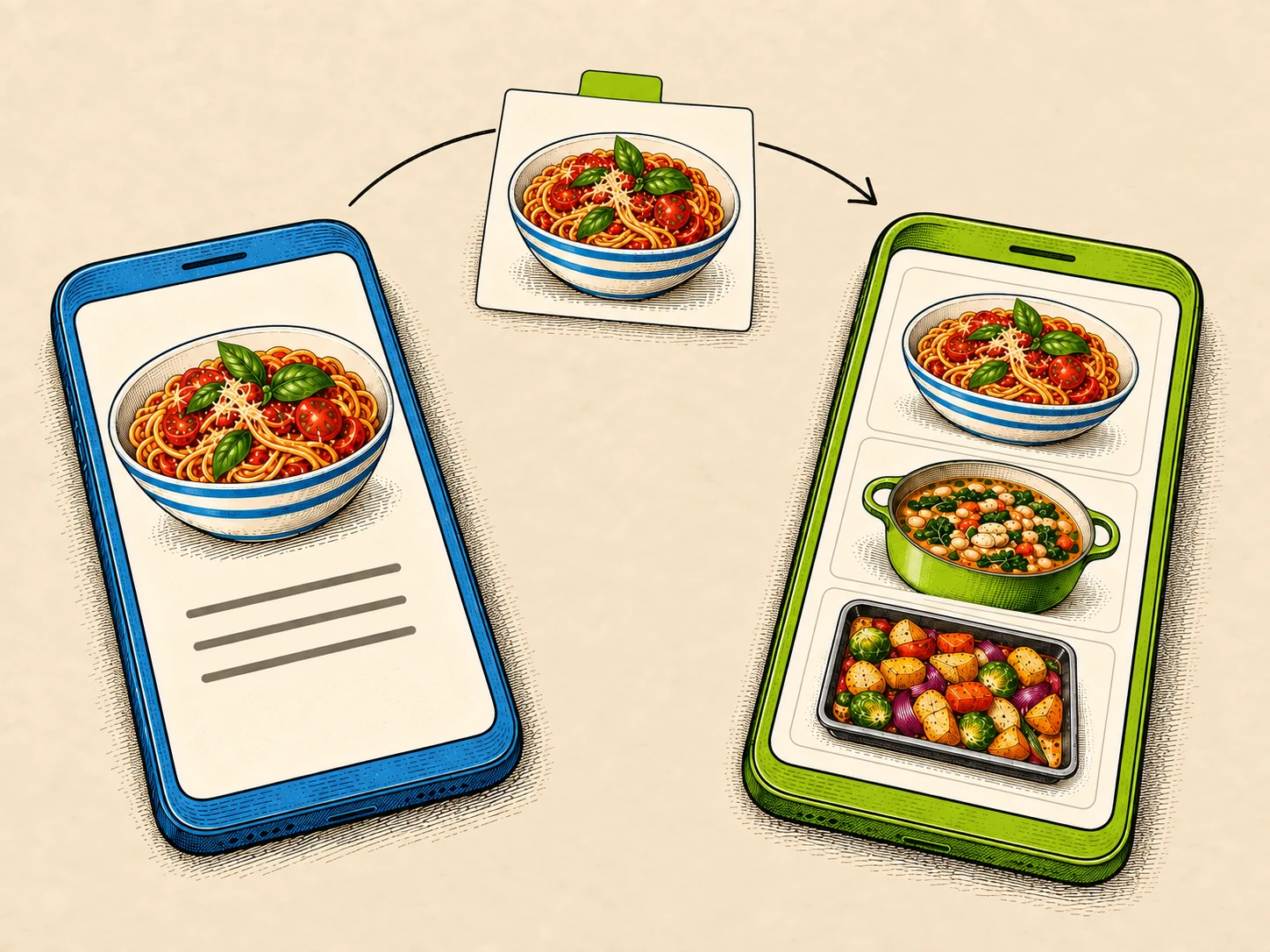
Scullery's shopping list is part of a shared household cookbook, used in a phone or desktop browser. Add ingredients from one recipe or the whole meal plan, and they're organised by category, each still linked to the recipe that needs it; a scaled recipe adds its scaled amounts. When two lines may be the same thing, Scullery asks before combining them, and toilet roll or washing-up liquid can go on the same list.
It's free, with no subscription or app purchase, and in open beta with no invite needed. There's no cap on how many recipes you save; AI features, such as importing social posts and photos, run in per-account and per-household usage windows, which can mean a short wait. There's no App Store app and no grocery checkout. Create a free account to try it.
- Best for
- A household that wants one free cookbook, a shared shortlist and a list built from the chosen recipes
- Platforms
- Web, in phone and desktop browsers
- Price
- Free: no subscription or app purchase
- Worth it if
- You're happy in a browser and want everyone in the house deciding together
- Check first
- No App Store app (it runs in the browser), no ready-made weekly menus, and usage limits on AI imports
Facts checked . Sources: Scullery FAQ
AnyList
AnyList is a shared shopping list first: categorised, sorted to your store's layout, and free to share on iPhone, iPad and Android. A recipe collection sits beside it, with 5 free imports from the web. Complete ($9.99 a year for one person, $14.99 for a household) adds the meal planning calendar, recipe photos and scaling, and the web and Mac apps.
- Best for
- A shared shopping list, with recipes and a plan as a cheap paid layer
- Platforms
- iOS, Android; web and Mac with Complete
- Price
- Free lists; Complete $9.99/year individual, $14.99/year household
- Worth it if
- The list is the main job and $14.99 a year covers your household
- Check first
- The meal planning calendar and the web app need Complete, and free web recipe imports stop at five
Facts checked . Sources: Features, Complete pricing, Recipe import help
Bring!
Bring! is a visual shared list that syncs in real time and sends notifications when someone changes it. It runs on iOS, Android, the web, Apple Watch and Wear OS, takes items by voice through Alexa and Siri, and imports recipes. It also shows retailer brochures and offers; check which retailers it covers where you live. Core features are free; Google Play says the Android app contains ads, and its pages don't say what Premium adds.
- Best for
- A quick, visual shared list
- Platforms
- iOS, Android, web, Apple Watch, Wear OS
- Price
- Free core features; optional Premium ($8.99/year on the US App Store)
- Worth it if
- You want a free list on phone, watch and web
- Check first
- Google Play says the Android app contains ads, and what Premium adds isn't stated
Facts checked . Sources: Official site, Devices help, US App Store, Google Play
OurGroceries
OurGroceries is a plain household list on almost every device: iPhone, iPad, Mac, Android, the web, Apple Watch, Wear OS and Alexa. Items go in by voice, barcode or photo, or as text or CSV on the web, and the list sorts by aisle. Every feature is free with ads; removing them costs about $1 a month, $6 a year or $20 once. The household shares one account, and recipes are typed in by hand.
- Best for
- A plain household list that syncs everywhere
- Platforms
- iOS, Android, Mac, web, watches
- Price
- Free with ads; ad removal about $1/month, $6/year or $20 lifetime
- Worth it if
- You want every feature free and don't mind ads
- Check first
- Recipes go in by hand, and everyone shares one account
Facts checked . Sources: Overview, FAQ, User guide
Out of Milk
Out of Milk keeps shopping, pantry and to-do lists, with prices and running totals. Items go in by hand, by barcode or from your shopping history and templates, and you invite people by email to edit in real time. Its site calls it completely free; Google Play says the Android app contains ads, and the US App Store lists an Out of Milk Premium whose contents aren't stated. Its help centre blocked our checks.
- Best for
- Shopping and pantry lists with running totals
- Platforms
- iOS, Android, web
- Price
- Free; optional Premium on the US App Store
- Worth it if
- You track what's running low as well as what to buy
- Check first
- Google Play says the Android app contains ads, and what Premium adds isn't stated
Facts checked . Sources: Official site, Features, US App Store, Google Play
Listonic
Listonic is a free shared list that needs no account, with automatic categories, item photos, cost totals and offline use. Its AI assistant builds a list from text, speech or a photo, or from a meal you describe. The free version has ads, and Listonic says Premium removes them and "doesn't add any new features".
- Best for
- A free shared list with cost totals
- Platforms
- Android, iOS, Mac, Apple Watch, web
- Price
- Free with ads; optional Premium removes ads
- Worth it if
- You'll enter prices to keep track of spending
- Check first
- The free version has ads, and Premium only removes them
Facts checked . Sources: Features, Premium help, US App Store
Apple Reminders
Apple Reminders has a Groceries list type that sorts items into categories, built into iPhone, iPad and Mac. Lists are shared through iCloud, and Family Sharing adds a Family Groceries list. In iOS 27, Apple Intelligence can suggest items from an online recipe in Safari, on iPhone 15 Pro or later; grocery sorting works only in the languages Apple lists.
- Best for
- An Apple household that wants groceries sorted without another app
- Platforms
- iPhone, iPad, Mac
- Price
- Included; no app fee
- Worth it if
- Everyone who shops has an iPhone and iCloud
- Check first
- Grocery suggestions from a recipe in Safari need a recent iPhone with Apple Intelligence
Facts checked . Sources: Apple's groceries guide (iPhone), Apple's groceries guide (Mac), Apple support
Google Keep
Google Keep is a notes app with checkbox lists, free on Android, iOS, the web and Wear OS. You can share a list with collaborators or a Google family group. Its pages don't mention grocery categories, so quantities and grouping are up to you.
- Best for
- A checklist inside notes you already use
- Platforms
- Android, iOS, web, Wear OS
- Price
- Free
- Worth it if
- Your household is on Google accounts and wants nothing new
- Check first
- Quantities and grouping are up to you
Facts checked . Sources: Google's collaboration guide, Google Play, US App Store
Cozi
Cozi keeps the shopping list beside the family calendar, to-do lists and a recipe box, and recipe ingredients can go straight onto the list. One family account holds up to 12 people, the list updates in real time, and you can email or text it to whoever is shopping. The free version has ads; Gold and Max are yearly subscriptions.
- Best for
- Meals and shopping kept beside the family calendar
- Platforms
- iOS, Android, web
- Price
- Free with ads; Gold $39/year; Max $79/year
- Worth it if
- The calendar is the household's hub and meals are one part of it
- Check first
- The free version has ads, and the AI meal planner needs Max
Facts checked . Sources: Official FAQ, Plan comparison, Meals and recipe box
Paprika
Paprika's shopping list comes from its recipe collection: it combines ingredients and sorts them by aisle, with a pantry list too, and on iOS lists can go to Reminders. It's a one-time purchase on each platform today, synced across your own devices; Paprika says premium features will need a subscription after its version 4 beta.
- Best for
- A personal collection on native apps, bought outright
- Platforms
- iOS, Android, Mac, Windows
- Price
- One-time, per platform: iOS $4.99, Mac and Windows $29.99, Android unlocked in the app
- Worth it if
- You want one-off purchases and a long list of file imports from other apps
- Check first
- Each platform is a separate purchase, its site lists no web app, and Paprika says premium features will need a subscription after the Paprika 4 beta (no price or date yet)
Facts checked . Sources: Official product page, Paprika 4 beta post, 28 September 2026, US App Store (iOS), US Mac App Store, Windows page, Google Play, User guide
Plan to Eat
Plan to Eat builds the shopping list from the meals on its planner, sorted by store, so the list follows the week you've planned. A household shares one login. After a 14-day trial with no card it's a subscription, $49 a year on its website.
- Best for
- A meal calendar built from your own saved recipes
- Platforms
- Web, iOS, Android
- Price
- $49/year or $5.95/month on its site ($54.99/year through the US App Store); 14-day trial
- Worth it if
- You plan most weeks and want the list made from the calendar
- Check first
- There's no free plan after the 14-day trial, and the yearly price is higher through the App Store
Facts checked . Sources: Official site, FAQ and pricing, US App Store, Export help, September 2026 update
Samsung Food
Samsung Food builds shared shopping lists from your meal plans and can order groceries online, alongside a large recipe library and a free weekly planner. Food+ adds AI-personalised plans, pantry and nutrition tracking. Samsung Food's website and help centre blocked our checks, so these facts come from its store listings and Samsung's newsroom.
- Best for
- Finding recipes in a large library and planning around them for free
- Platforms
- iPhone, iPad, Mac, Android, web
- Price
- Free; optional Food+ $6.99/month or $59.99/year
- Worth it if
- You want a free planner and list on phone and web
- Check first
- Personalised plans and more photo imports need Food+, and export options aren't stated on the pages we could read
Facts checked . Sources: US App Store, Google Play, Samsung Newsroom launch post
Choose by job
Pick the job you most need done, then read that app's section above.
- A list built from the recipes you're cooking, free: Scullery. Plan to Eat builds one from a meal calendar, and Paprika from a collection you buy once.
- A free shared list on every device: OurGroceries or Bring!.
- A shared list with recipes as a cheap paid layer: AnyList.
- Keeping track of spending: Listonic or Out of Milk.
- Shopping and pantry lists together: Out of Milk.
- Nothing new to install: Apple Reminders on Apple devices, or Google Keep on Google accounts.
- The family calendar and the list in one place: Cozi.
- Ordering groceries from the list: Samsung Food, or OurGroceries with Instacart in the US and Canada.
- Planning the week first: see the best meal planning apps.
- Keeping recipes first: see the best recipe apps.
- Leaving Mealime before it closes on 21 October 2026: see Mealime alternatives.
Grocery list app or meal planner?
"Grocery list app" and "shopping list app" are two names for the same thing. The difference that matters is where the list starts.
List-first apps start from what you type, say or scan: OurGroceries, Bring!, Out of Milk, Listonic, Apple Reminders and Google Keep. They suit households that shop for staples and don't cook from saved recipes most nights.
Recipe-first apps start from the meals you've chosen and add their ingredients: Scullery, Plan to Eat, Paprika and Samsung Food. They suit households that plan. In Scullery, each item also shows which recipe needs it, so nobody wonders what the coriander was for. AnyList and Cozi sit between the two, with a list that stands alone and recipes beside it.
If a few recipes drive most of your shop, a recipe-first app saves retyping. If the list is mostly milk, bread and bin bags, a list-first app is quicker.
Switching between apps
A shopping list is short-lived, so switching usually means retyping your regulars rather than moving files. A few apps move lists in and out:
- OurGroceries exports a ZIP with Excel and JSON files, and its web app imports text or CSV, including Out of Milk's CSV.
- Google Keep exports through Google Takeout, or copies a note to Google Docs.
- Paprika sends lists to Reminders on iOS.
- AnyList, Cozi and Out of Milk email, text or print a list.
- Listonic shares lists by link; an export isn't stated.
- Apple Reminders prints a list; a file export isn't stated.
- Bring!, Plan to Eat and Samsung Food: a list export isn't stated on the pages we could read.
Recipes are the part worth moving carefully. If you're leaving a recipe-first app, see switching between recipe apps for which apps read whose files.
What Scullery takes in today
Scullery doesn't import lists from other apps. Type the household items you buy every week once; after that, recipe ingredients arrive with the recipes. Recipes come in one at a time: in Library, choose Add recipe, then paste a link to a recipe website or a TikTok, Instagram or YouTube post, paste the text, or use Scan a recipe with a screenshot or photo. The one bulk route is for Mealime: until Mealime closes on 21 October 2026, our free Mealime import tool brings your Mealime recipes across in one go. The import guide walks through each route, and building the list from what you chose explains how the list keeps track of its recipes.
Scullery's own export is a JSON copy of your account, households, recipes, meal plans and shopping lists. Ask for it in Settings, under Privacy & Data, with Request your data; once the request is approved, it's emailed to your account address.
Sources
Every page below was checked on 6 October 2026. Scullery's facts come from our own product and its FAQ.
- AnyList: features, Complete pricing, web app help, recipe import help
- Bring!: site, devices help, features, US App Store, Google Play
- OurGroceries: overview, FAQ, user guide, US App Store
- Out of Milk: site, features, US App Store, Google Play
- Listonic: features, Premium help, US App Store
- Apple Reminders: groceries guide (iPhone), groceries guide (Mac), Apple support, feature availability, sharing guide
- Google Keep: collaboration help, family group help, export help, Google Play, US App Store
- Cozi: FAQ, compare plans, meals and recipe box
- Paprika: product page, Paprika 4 beta post, 28 September 2026, US App Store (iOS), user guide
- Plan to Eat: site, FAQ and pricing
- Samsung Food: US App Store, Google Play, Samsung Newsroom launch post
Common questions
Is there a free grocery list app?
Several. Google Keep is free with no in-app purchases listed, and Apple Reminders is built into iPhone, iPad and Mac. Scullery is free, with no subscription or app purchase and no cap on recipes saved; AI features, such as importing social posts and photos, run in usage windows that can mean a short wait. OurGroceries and Listonic give every feature away and show ads, with paid ad removal. Bring! and Out of Milk are free, with ads on Android and a Premium purchase whose contents their pages don't state. AnyList's shared list and Samsung Food's lists are free, and Cozi's free version has ads.
Which grocery list app can my whole household share?
All twelve share a list, in different ways. OurGroceries uses one household account, and Cozi one family account for up to 12 people. Out of Milk invites people by email, Listonic invites family or roommates, and Bring! syncs shared lists in real time with notifications. Apple Reminders shares iCloud lists and has a Family Groceries list for Family Sharing; Google Keep shares notes with collaborators or a family group. Scullery and AnyList share one list across a household, and Plan to Eat suggests sharing one login.
Which grocery list apps add ingredients from recipes?
Scullery adds ingredients from one recipe or a whole meal plan and keeps each linked to the recipe that needs it. Plan to Eat builds the list from its meal planner, Samsung Food from your plans, and Cozi and Paprika from saved recipes. AnyList and Bring! import recipes, with 5 free web imports on AnyList. In iOS 27, Apple Reminders can suggest grocery items from a recipe in Safari on iPhones with Apple Intelligence. OurGroceries saves recipes you type in by hand.
Which grocery list app tracks what I spend?
Listonic and Out of Milk both keep prices and running totals as you add items. You enter the prices yourself.
Can Apple Reminders make a grocery list?
Yes. Since iOS 17, a Groceries list in Reminders sorts items into categories, in the languages Apple lists, and it needs Reminders in iCloud. You can share the list through iCloud, and Family Sharing adds a Family Groceries list. In iOS 27, released on 14 September 2026, Apple Intelligence can suggest items from an online recipe in Safari, on iPhone 15 Pro or later.
Can I order groceries from a list app?
Some, depending on where you live. Samsung Food has online grocery ordering, and OurGroceries works with Instacart in the US and Canada. Bring! shows retailer brochures and offers; check which retailers it covers where you live. Scullery doesn't include grocery checkout.
Is a grocery list app the same as a shopping list app?
Yes. The names are used for the same kind of app. The bigger difference is where the list starts: list-first apps such as OurGroceries and Bring! start from what you type, while recipe-first apps such as Scullery, Plan to Eat and Paprika build the list from the meals you've chosen.