What's new in Scullery: October 2026
A new address, Kitchen as the place the app opens, cook mode one step at a time, and a shopping list that follows your plan.
By The Scullery team · Written

Scullery has moved to a new address, and the app now opens on Kitchen. Here is what changed in October.
We've moved to thescullery.app
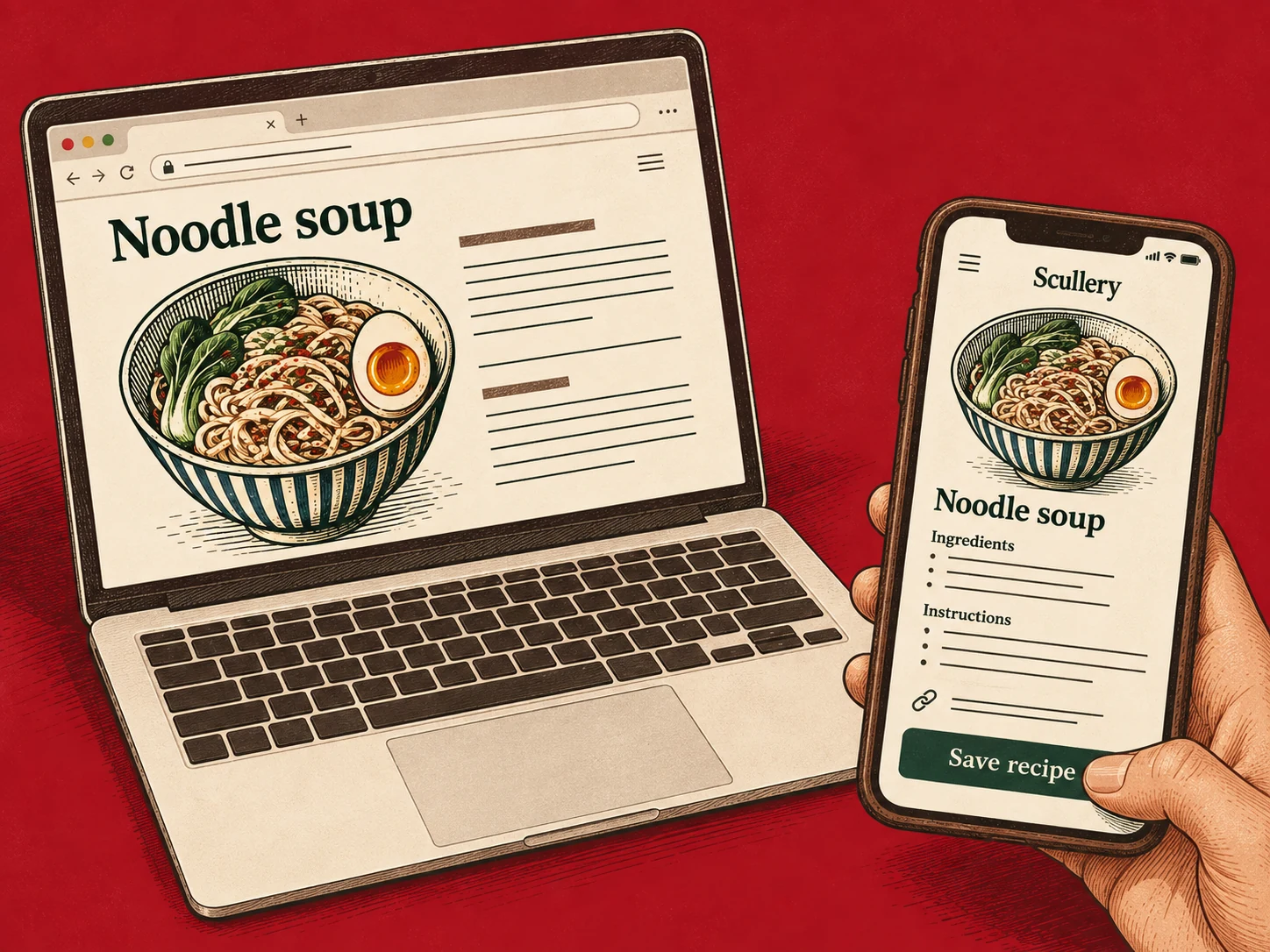
Scullery now lives at thescullery.app, and your kitchen is at my.thescullery.app. Your recipes, plans and lists are as you left them, and old links and bookmarks keep working.
- Sign in once at my.thescullery.app.
- If Scullery is on your home screen, remove it and add it again from my.thescullery.app.
- Emails from us now come from thescullery.app.
We moved because addresses ending in .online are often used by scam sites.
Kitchen
The app now opens on Kitchen: your Regulars, Favourites and Recently cooked, moods to browse, and Dinners for tonight, seasonal dishes you haven't cooked lately. On a phone, cards now name where the recipe came from, such as Instagram.
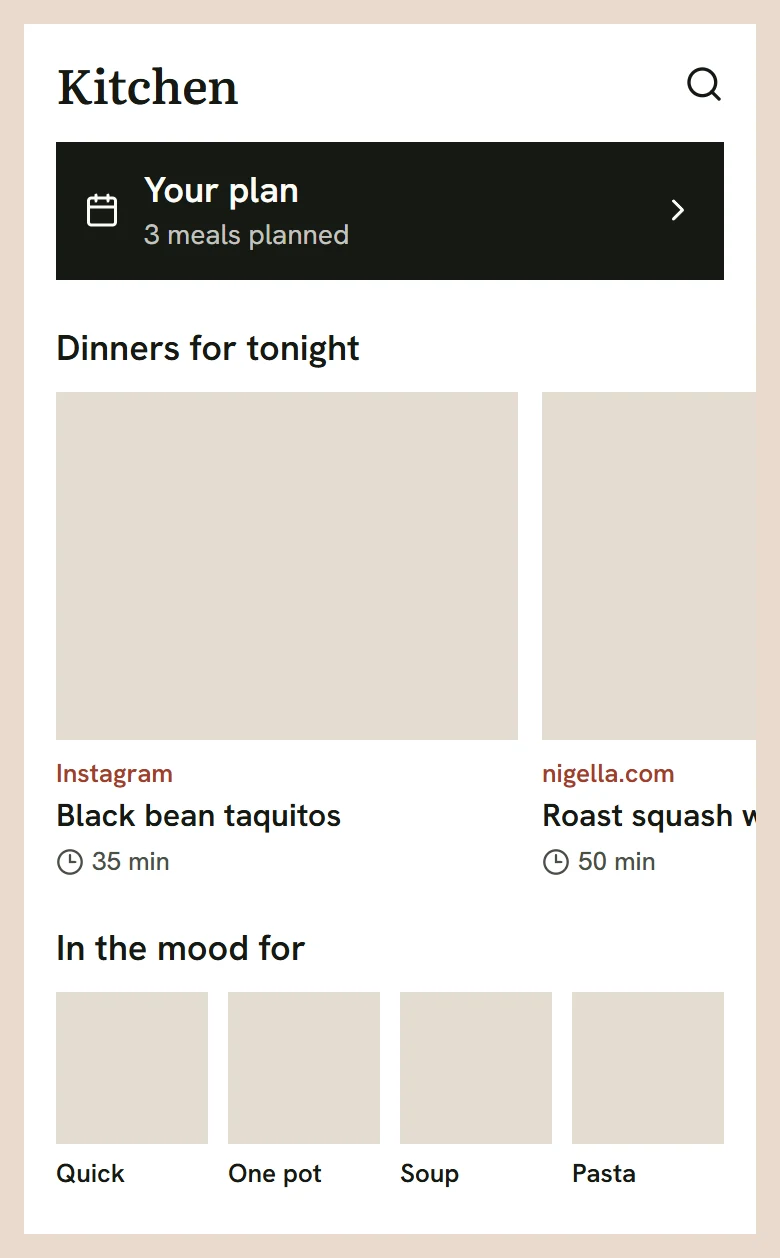
A line at the top shows what's cooking, tonight's shortlist or your plan. Open it and tap Cook this to start. Up next has gone.
Cook mode, one step at a time
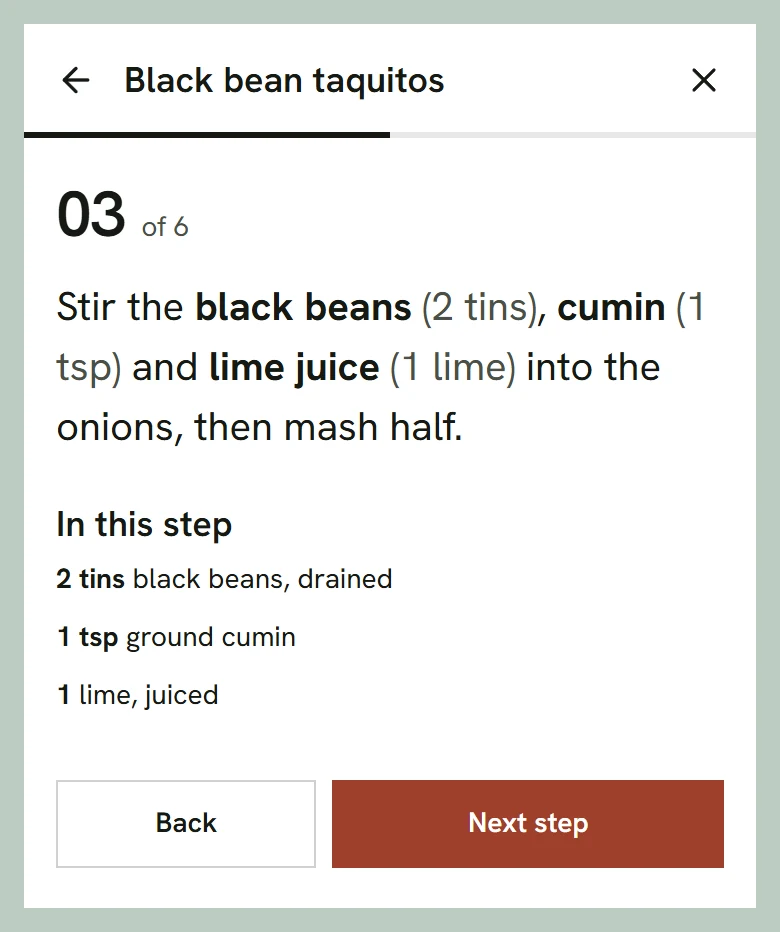
Cook mode shows one step at a time. Each step names the ingredients it uses, with their amounts. It opens with Before you start, for anything to do ahead, and Get these out.
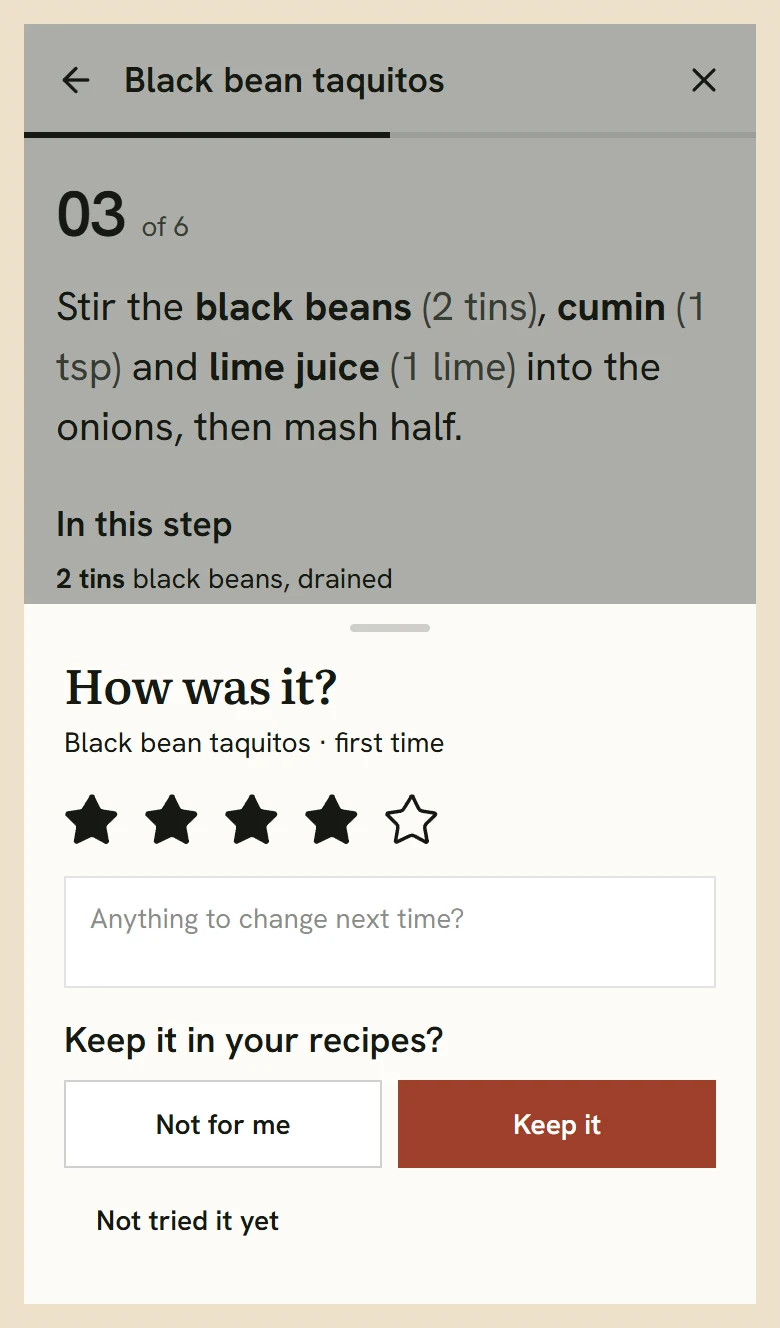
When you tap Finish, a short sheet asks how it was. Cooked something new but not eaten yet? Not tried it yet keeps it in To try. The new Cooked page, under Recently cooked on Kitchen, lists what you've cooked by date.
The recipe page
Recipes open with the key facts: time, servings, how often you've cooked it and your rating. The US and Metric switch now converts inches and centimetres in the method too.
If a recipe's source states its nutrition, Scullery keeps it: tap the calories on a phone, or look under Nutrition on a computer.
Saving recipes
Paste a link and Scullery reads it while you carry on. A whole recipe goes to To try, a partial one to Ideas.
When a video's caption on TikTok, Instagram, YouTube or Pinterest leaves the recipe incomplete, Scullery can now read the video, and it credits the creator under the title. If a site blocks apps, Scullery can work from a recent saved copy of the page, as a draft for you to check, or you can use the Scullery extension for Chrome.
A shopping list that follows the plan
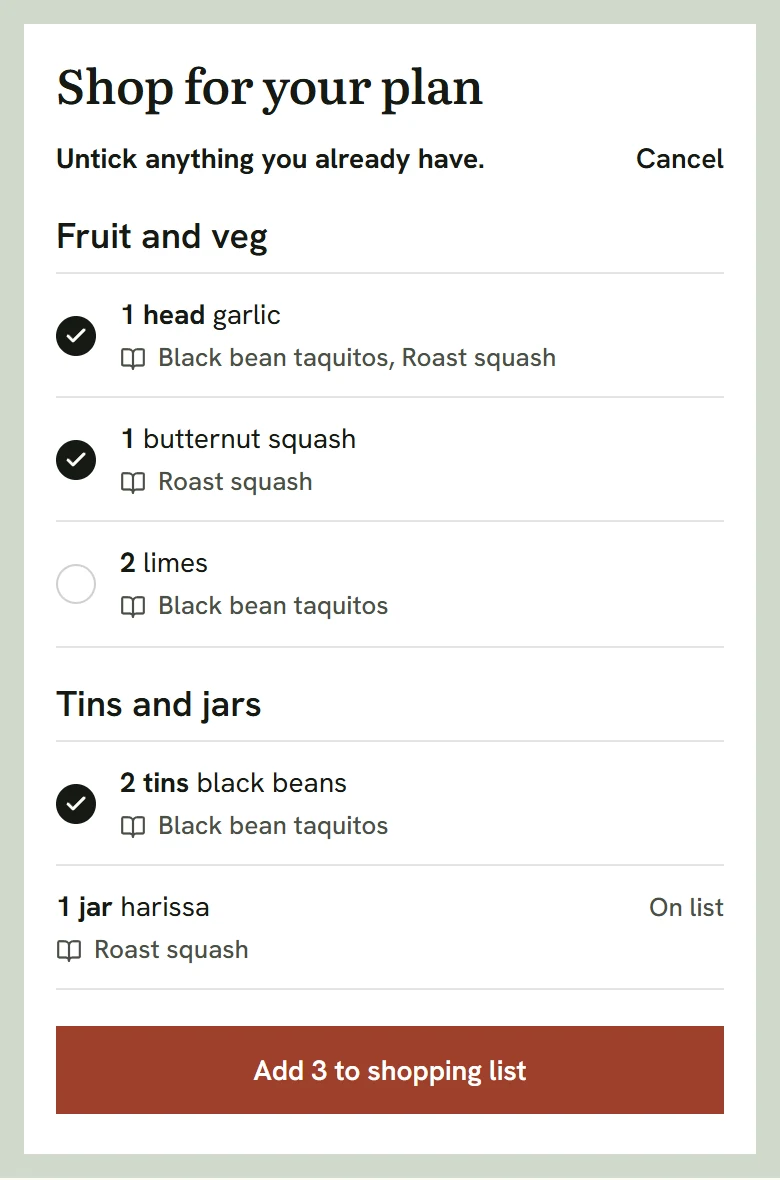
Plan four dinners, tap Shop for these 4, untick what you already have, and the rest goes on the list. On a recipe, Add to shopping list works the same way. Each thing is one row, however many recipes need it, with the recipes named underneath. Cook a meal or take it off the plan, and what it added that you haven't bought comes off too.
At the shop
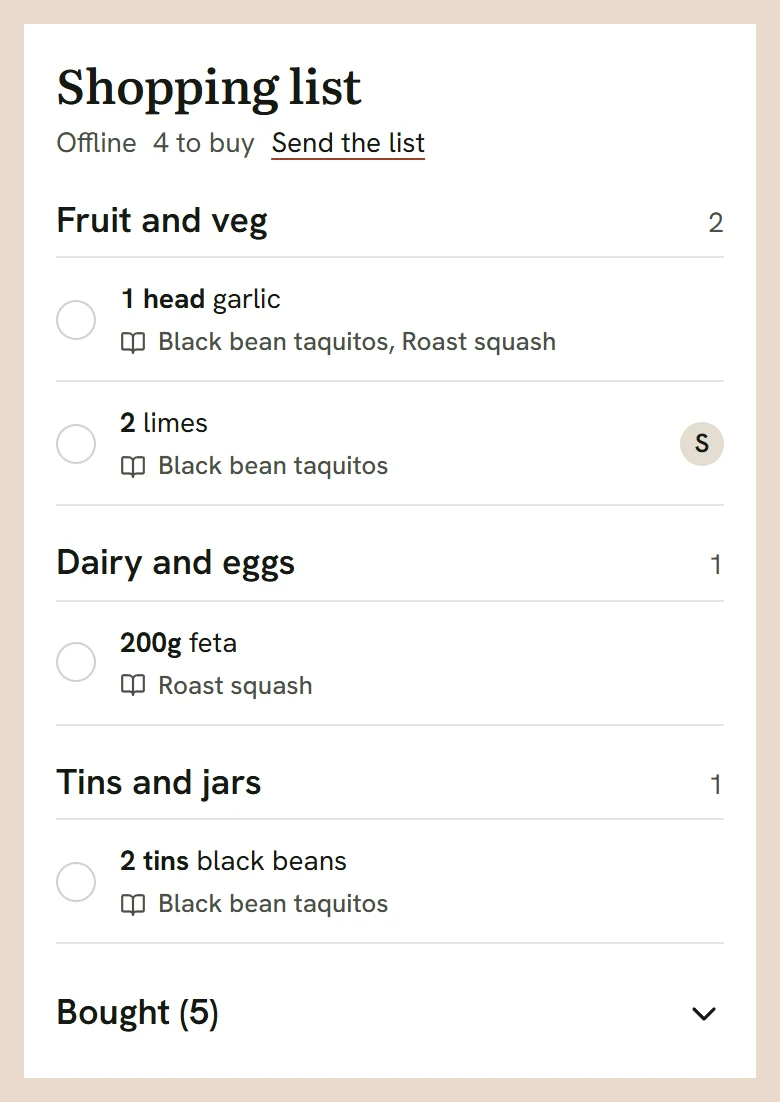
The list runs in British aisles, in the order you walk round a supermarket. Move to puts something in another aisle, and it stays there for your household. Ticked things fold into Bought at the foot. Ticks work with no signal, and the screen stays awake while you shop. Send the list copies or shares it.
Search by what you have
Type a few ingredients, or take a photo of them, and Kitchen search shows recipes that use mostly those, with a count such as "You have 2 of 4".
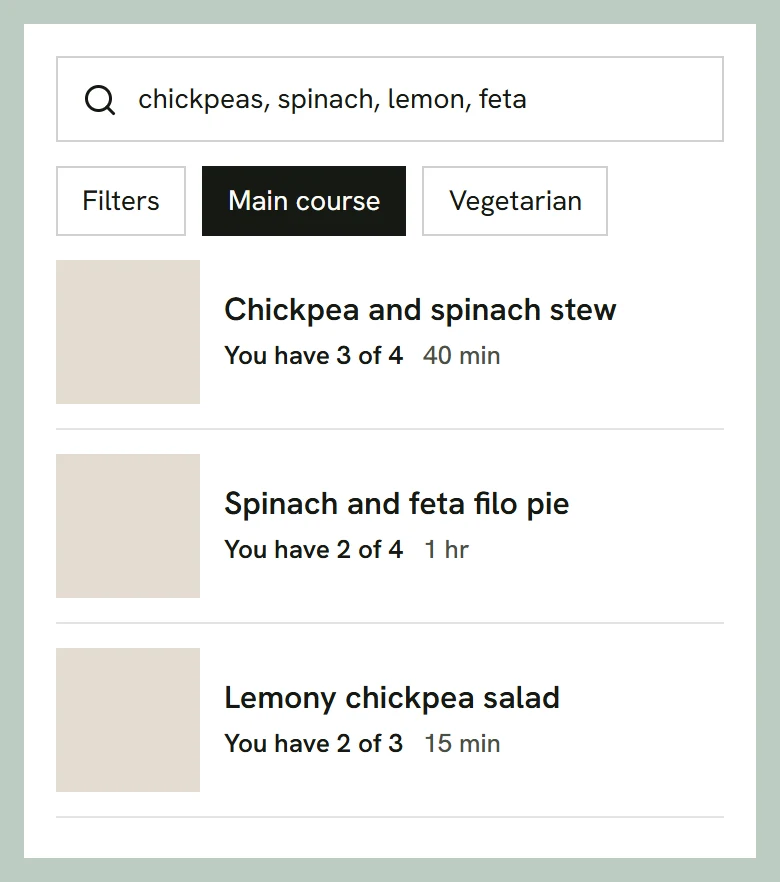
Search Filters now have a Course group: Main course, Side dish and more. Cooking for someone else? Switch your household's dietary preferences off in Filters for the day.
Everything else
- On a computer, Kitchen in the top bar opens a menu: Kitchen, All recipes, Cooked and Search.
- A recipe made from your photo shows that photo, under From your photo.
- Amounts like "1 cup + 2 Tbsp" read correctly, and a step that uses "the remaining sugar" shows how much is left.
Questions or ideas? Get in touch.